
What the app actually does with your swing.
One recording in, a graded swing and a ranked plan out — then the drills, tips, and comparisons that turn the plan into practice.
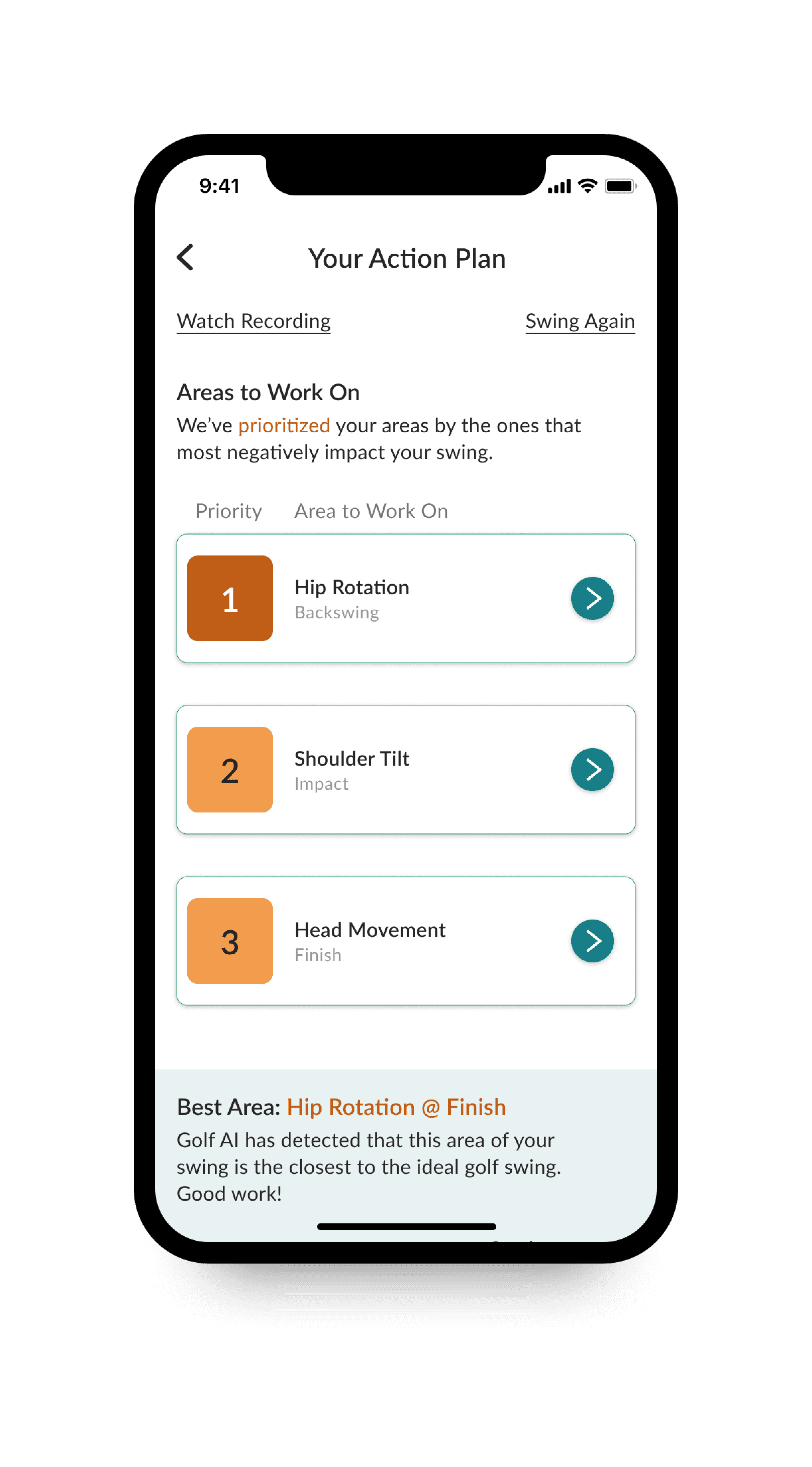
An action plan, in priority order.
Golf AI runs 3D pose-estimation over your video, finds where your body is doing something it shouldn’t, and sorts those findings by how much each one is costing you. Priority 1 is where to start. It also names the area closest to an ideal swing, so you know what you’re already doing right.
- Ranked
- Faults ordered by impact, not by detection order.
- Phased
- Each fault tied to backswing, impact, or finish.
- Explained
- Overview and tips behind every recommendation.
- Comparable
- Your swing set against the reference shape.
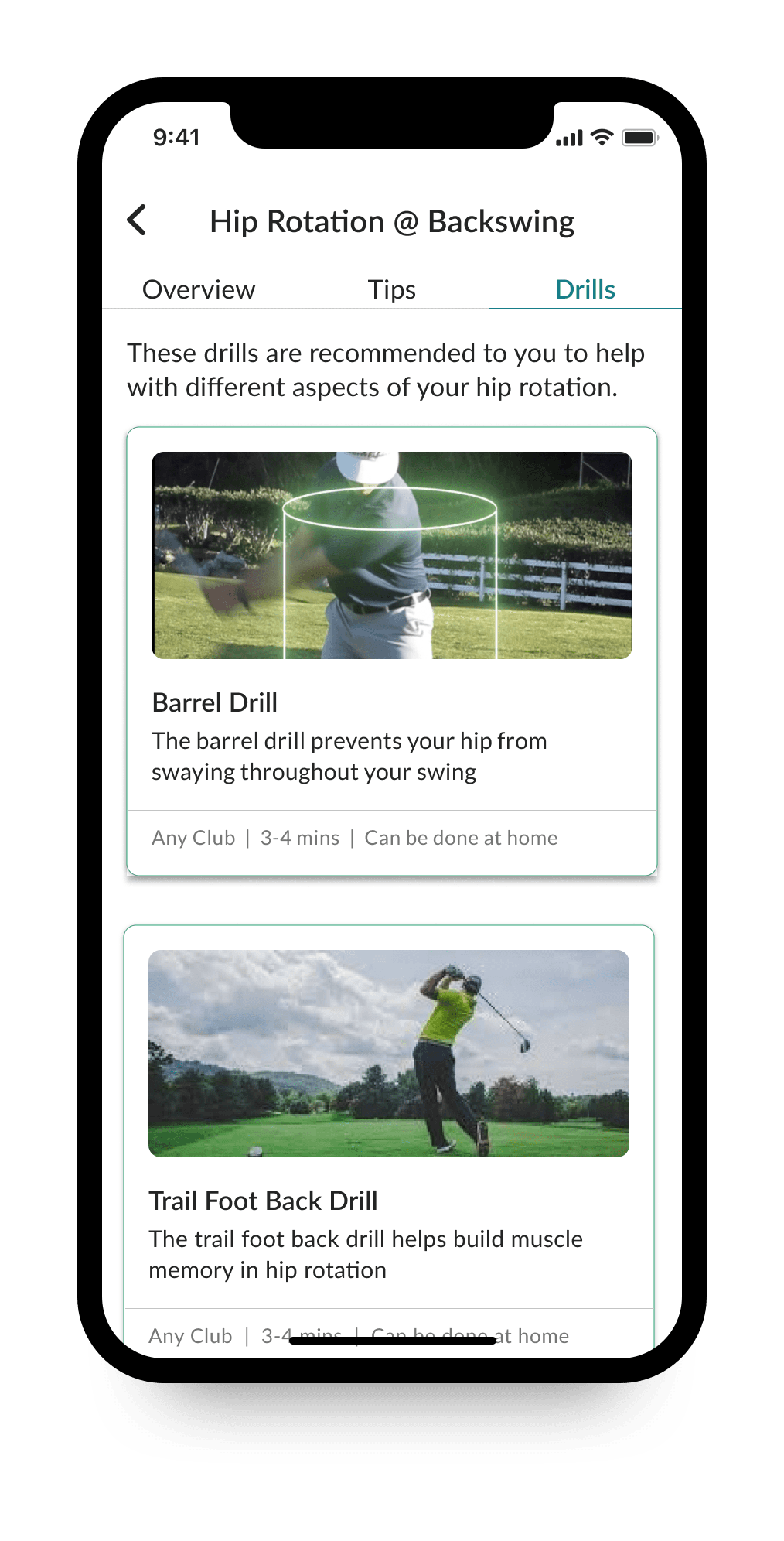
Drills chosen for your fault.
Open a priority area and you get three tabs: an Overview of what’s happening, Tips written for that specific fault, and Drills selected to correct it. Each drill carries a video demo and the practical details — which club, how long, and whether it needs a range or works in a hallway.
That last part matters more than it sounds. A drill you can do at home in four minutes is a drill you’ll actually repeat.
The full list.
Swing score
Every recorded swing is graded, so improvement is a number you can watch move rather than a feeling you argue about.
Action plan
Your faults, ranked by how much they’re hurting the swing, each pinned to the phase where it happens.
Area detail and comparison
Open any area to see what the model saw and compare your swing against what it should look like.
Customized tips
Written cues specific to your fault, not generic advice recycled from a magazine column.
Personalized drills
Curated drills per area, with video demos, required club, time to complete, and whether you need a range.
Progress tracking
Swing history is kept, so you can see the shape of your improvement across a season.
Video upload
Analyze a swing you already filmed instead of recording a fresh one.
Recording guidance
The app tells you where to put the phone and how to frame the swing so the analysis is usable.
Fast turnaround
Analysis runs right after the swing — you get the feedback while you’re still on the mat.
What we’re building next.
Not available yet — listed so you know where the app is heading.
Real-time swing analysis
Feedback as you swing rather than after you stop to check the phone.
Shot description tracking
Log what the ball actually did, so the analysis can be checked against the result.
Drill-type feedback
Feedback tuned to the kind of drill you’re doing, not just the swing you’re making.
Record a swing and see what it finds.
Free on the App Store. Pro is $4.99 a month or $49.99 a year when you want the full library.